
AI Motion Graphics Editor for YouTube ShortsOneupload.Acompleteedit.
Motion Edit reads your transcript, plans the edit like a human editor, then renders kinetic text, charts, zooms and captions in your brand's colors.
- Free credits to start
- No editing skills needed
- 2 credits per edit
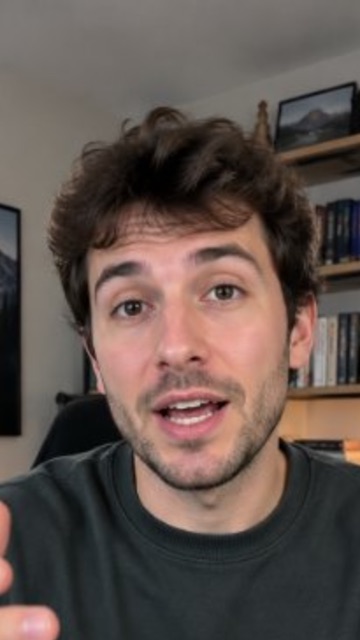
- 30+ motion graphics
- 8 templates
- 1 upload
It plans the edit, not just the effects.
Upload
Drop in a vertical talking video up to 3 minutes. Pick a template, or leave it on Auto.
- 0:00Hook cover, “I cut my editing time in half”
- 0:04Punch zoom on “half”
- 0:09Chart, 4h before, 2h now
- 0:14Checklist, three steps
- 0:21Behind text, “HALF”
AI plans the edit
Your words are timed one by one. The AI looks at the frame, finds your face and any captions, then writes a shot plan.
Rendered in minutes
The plan is rendered into your video frame by frame. You get an MP4, ready to post.
Eight looks. Or let it match your brand.
Each template has its own font, palette and card style. Use my brand colors puts your Brand Kit palette on any of them.
- Auto pick · 3 s loopAIAutoPicks for your brand
- Neon Pulse · 3 s loopNeon PulseDark glass, neon
- Clean Corporate · 3 s loopClean CorporateLight, calm blue
- Bold Creator · 3 s loopBold CreatorHuge condensed type
- Minimal Editorial · 3 s loopMinimal EditorialSerif, quiet paper
- Tech Terminal · 3 s loopTech TerminalMono, green glitch
- Warm Story · 3 s loopWarm StoryWarm, rounded
- Luxury Gold · 3 s loopLuxury GoldBlack and gold
- Playful Pop · 3 s loopPlayful PopCandy, bouncy
An editor's whole kit
More than 30 motion graphics, scene modes and camera moves. The AI picks the right one for each line.
Text & titles
7- Kinetic text, 4 entrances
- Hook cover
- Quote card
- Name band
- Numbered steps
- Checklist
- Myth → fact
Data & charts
4- Chart
- Stat
- Flow diagram
- Top-3 podium
Social proof
5- Comment stack
- Poll card
- Search mockup
- Chat mockup
- Notification
Commerce
3- Price tag
- Countdown
- Pros and cons
Stage
5- Picture in picture
- Split screen
- 3D phone
- Cutout background
- Behind text
Camera & FX
7- Soft zoom
- Punch zoom
- Zoom-through
- Shake
- Glitch
- Light leak
- Signal drop
The word goes behind you
For the line that matters most, a giant word stands behind the speaker and your head covers the letters. AI segmentation cuts you out of the frame in every shot, so it holds when you move.
- Classic
- Bold Outline
- Yellow Bold
- Minimal
- Cinema
- TikTok
- Highlight
- Word Pop
The word you say lights up
Captions are timed word by word. The word being spoken takes your brand color. Pick one of eight styles, and no zoom or camera move ever crops them.
Your colors, on any look
Turn on Use my brand colors and the template takes your Brand Kit palette: cards, numbers, highlights and captions. Same edit, your channel's colors.
See why it made every cut.
Every result comes with a four-lane timeline and a Why this edit panel that explains each decision in a plain sentence. Pick a block to read it.
Change the look. Keep the edit.
Change look swaps the template on a finished edit without uploading again. The scenes stay, only the style changes. Want a different plan instead? Re-plan & render writes a new one.
- Same video · Bold Creator
- Same video · Neon Pulse
- Same video · Minimal Editorial
Hours by hand. Minutes here.
2 credits per edit
Sign up, get free credits and try it on your own videos. Paid plans add monthly credits.
On this page
What Motion Graphics Actually Do for a Short#
A talking-head Short gives a viewer one thing to look at: your face. That is enough for the first second or two, and then the eye starts looking for somewhere else to go. Motion graphics give it somewhere to go inside your video instead of in the next one. A number you say out loud becomes a chart. A list becomes three lines that tick as you reach them. The sentence you want remembered becomes a word standing behind your head. Nobody can tell you a percentage this is worth, because it depends entirely on what you said and whether the graphic matched it, so treat anyone quoting one with suspicion.
What you can say with confidence is narrower and more useful: a viewer watching with the sound off can still follow a captioned, illustrated Short, and a viewer who looked away can rejoin it. Both of those are people who would otherwise have scrolled. That is the whole job of an edit like this, and it is why the graphics have to land on the words that carry the meaning rather than every few seconds on a timer.
How the Edit Is Planned From What You Said#
- Your audio is transcribed with a word-level timestamp for every word, so an effect can be tied to the exact moment a word is spoken.
- Sample frames are read to find your face and, if the video already has captions burned in, the band they sit in. Both become no-go areas for graphics.
- The AI writes a shot plan: which graphic, at which second, with which text, plus the camera moves and the scene mode for each stretch of the video.
- The plan is checked against the template's rules and its own metrics, revised once, then rendered into your video frame by frame.
Two details matter when you read the result. First, every graphic is anchored to a word boundary, not a round number of seconds, so a card never appears mid-syllable. Second, numbers only show up on screen if you actually said them: a price tag, a countdown or a percentage has to match something in the transcript, which is what stops the edit inventing figures you never claimed.
Picking a Template, and When to Use Your Brand Colors#
A template is not just a palette. Each one carries its own fonts, card style, corner radius, text entrance, default caption style and an intensity: how often it is allowed to cut, zoom and change the scene. Picking Bold Creator gets you condensed type and a fast cut rhythm; Minimal Editorial gets you serif type and long, quiet holds. Leaving the choice on Auto matches the template to your brand instead, reading the Brand Kit style summary along with your niche and content type.
Use my brand colors sits on top of whichever template you chose: the structure and typography stay, and your Brand Kit palette replaces the template accents on cards, numbers, highlights and captions. It is the right switch for a channel with a settled look. Keep the template palette instead when the video is a one-off, a collaboration, or an experiment where you want the template's own personality rather than your own.
| Feature | Change look | Re-plan & render |
|---|---|---|
| Keeps the same scenes and timings | Yes | No |
| Writes a new shot plan | No | Yes |
| Needs another upload | No | No |
| Use it when | The edit is right, the style is not | The edit itself missed the point |
What to Upload for the Best Result#
The edit can only be as good as what it has to work with, and almost everything that goes wrong traces back to the upload. Vertical 9:16 video of you talking to the camera, up to three minutes, is what this is built for. A landscape file still works — it gets cropped to 9:16 around your face — but you lose whatever was happening at the edges of the frame, so shoot vertical when you know the clip is for Shorts.
- Record clean audio. The whole plan comes from the transcript, so a muffled or echoing room costs you graphics, not just clarity.
- Say your numbers out loud. "It took four hours" gets a chart; "it took this long" cannot.
- Leave your face roughly centred and your head clear of the top edge, so there is room for a hook cover and a word behind you.
- Upload without captions burned in if you want the styled, word-timed ones — the edit will not draw a second set over your own.
- Keep one claim per video. The strongest results come from a Short that repeats a single line at the start and the end.
Questions
What videos work best?
Vertical videos of you talking to the camera, up to 3 minutes. Landscape videos are cropped to 9:16 around your face.
How long does an edit take?
Minutes. Motion Edit transcribes, plans and renders in one go, and longer videos take a little longer.
Will graphics cover my face or my captions?
No. Motion Edit finds your face and the caption area in every shot and places graphics around them. Behind-text words go behind you on purpose.
Can I use my brand colors?
Yes. Turn on Use my brand colors and any template takes the palette from your Brand Kit.
What if I don’t like the result?
Use Change look to switch templates without uploading again, or Re-plan & render for a new plan. Every video comes out a little different.
How much does it cost?
Each edit costs 2 credits. Signing up gives you 5 free credits when you connect a YouTube channel, or 3 without one, and paid plans add monthly credits.
One upload. A complete edit.
Upload a talking video and get back kinetic text, charts, zooms and captions, planned from what you said.
Try Motion Edit free- Free credits to start
- No editing skills needed
- 2 credits per edit