
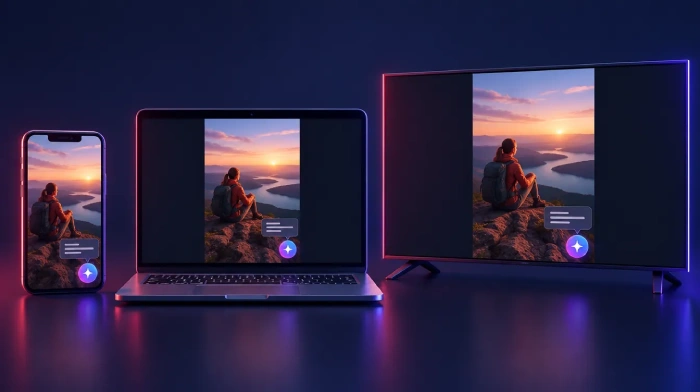
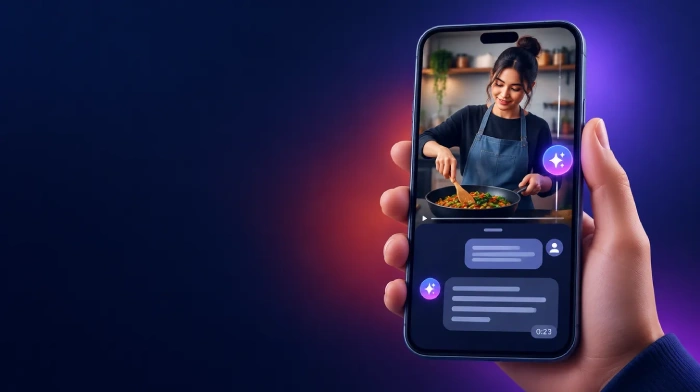
YouTube is testing Ask YouTube inside the Shorts player. On October 12, 2026, the company said viewers "will soon be able to use Ask YouTube directly from the watch page while watching Shorts and live streams." The Shorts version starts as a limited global experiment for English-language viewers aged 18 and older. Selected viewers tap a sparkle icon on select Shorts and ask questions about the video on screen.
On its own, that sounds like a small test. In context, it is the latest step in a three-year rollout that has taken Ask YouTube from a Premium-only experiment to a feature 140 million people used in a single month. Shorts were the most obvious gap left. Now YouTube is closing it.
This post covers how Ask YouTube got here, how it builds its answers, what YouTube has already told creators about showing up in it, and what you can do with your Shorts this week.
What Is Ask YouTube?
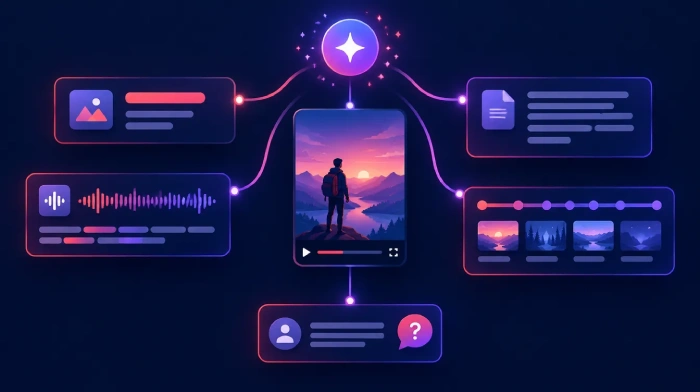
Ask YouTube is YouTube's AI question-and-answer layer. It exists in two main places:
- On the watch page, a button below selected videos lets viewers ask about the video they're watching, or tap a suggested prompt such as "recommend related content," without leaving the player.
- In search, viewers type a longer, conversational request and get a structured answer that mixes long-form videos, Shorts and text.
According to YouTube's help page, watch-page answers come from large language models that "draw on information from YouTube and the web." In September, YouTube's VP of Product Management for Viewer AI, Emily Moxley, told TechCrunch that a custom Gemini model maps a viewer's question to the exact second in a video where the answer appears.
Usage is no longer niche. Sundar Pichai said in Alphabet's Q2 2026 earnings remarks that more than 140 million users engaged with Ask YouTube on the watch page in June. YouTube put that at more than 500% growth since the previous December.
From Experiment to Shorts: A Timeline
DateWhat happenedNovember 2023YouTube tests a conversational "Ask" button for U.S. Premium subscribers aged 18+, on select English videos in the Android appFebruary 2026Testing begins on smart TVs, with voice questions through the remoteApril 28, 2026"Ask YouTube" appears in search as a test for U.S. Premium members aged 18+May 19, 2026At Google I/O, YouTube says conversational search will reach all users "soon"July 6, 2026Search version drops the Premium requirement for signed-in U.S. desktop users aged 13+September 23, 2026At Made on YouTube, Ask YouTube becomes a shopping companion with product comparisonsOctober 12, 2026YouTube announces Ask YouTube for Shorts and live streams, starting with a Shorts test
The pattern is consistent: a narrow test with strict limits, then a steady widening of devices, ages and markets. The Shorts test follows the same opening move.
How the Shorts Test Works
Here is what YouTube's announcement and the Creator Insider video from the same day confirm:
- Selected viewers only. Testers must be 18 or older and use YouTube in English. YouTube hasn't said how they're chosen.
- Select Shorts only. A sparkle icon appears on some Shorts. YouTube hasn't said which ones qualify.
- Two ways to ask. Viewers can tap a pre-populated prompt or type a free-form question about the Short.
- Every screen. The test covers mobile, desktop and TV.
The same Creator Insider update announced new mobile feeds on Android and iOS for discovering similar creators, related Shorts and topics based on watch history.
The Shorts test is much narrower than the existing watch-page feature, which is open to signed-in users aged 13 and older across dozens of languages and countries. If the usual pattern holds, those limits will loosen over time.
What YouTube Has Already Told Creators
YouTube hasn't published Shorts-specific guidance yet. But it has said several things about Ask YouTube that apply directly.
Views From Ask YouTube Count
When YouTube opened conversational search to U.S. desktop users in July, its Help community post stated that views from Shorts, videos and previews shown in Ask YouTube responses count toward total views and YouTube Partner Program eligibility. Appearing in an AI answer is not a dead end. It's real traffic.
Clear Chapters and Descriptive Titles Help
In the same update, YouTube said creators can improve their chances of appearing in Ask YouTube responses by publishing unique, high-quality content with clear chapters and descriptive titles. That's the closest thing to official optimization advice so far, and it lines up with how the system works: if a model is matching questions to specific moments, labeled moments are easier to match.
Tagged Products Can Show Up in Answers
The watch-page help page notes that Ask YouTube responses may display eligible tagged products, and that creators can earn commissions on purchases made after a viewer clicks one. Since September, YouTube has also been pushing Ask YouTube as a shopping companion that builds product comparisons from creator reviews. For Shorts creators in YouTube Shopping, accurate product tags just became more valuable.
What YouTube Hasn't Said Yet
Several open questions remain, and they matter before you rebuild your workflow around this test:
- No start date for the Shorts test, and no date for live streams.
- No country list, even though the test is described as global.
- No selection rules for which Shorts carry the sparkle icon.
- No creator controls. There's no word on opting out, seeing which questions viewers ask, or reviewing answers about your Short.
- No accuracy guarantees. YouTube's own help page says Ask YouTube "may sometimes produce inaccurate" information, and The Verge found factual errors in at least one answer during the April search test.
That last point is a real risk for creators. If the AI misreads your Short, viewers may get a wrong answer attributed to your content, with no current way for you to correct it.
How to Prepare Your Shorts for Ask YouTube
Some of these steps come straight from YouTube's guidance. Others are practical bets based on how the system works. All of them help search and recommendations anyway, so none of them are wasted effort if the Shorts test stays small.
1. Give the Short a Descriptive Title
This is the one step YouTube has named directly. "wait for it..." gives a model nothing to match. "3 iPhone camera settings for sharper night photos" gives it a clear topic. Keep the hook, but name the subject. Our YouTube title formulas show how to do both, and the AI Title Generator suggests options built around your keyword.
2. Say the Key Information Out Loud
If the answer to "what is this?" only exists as on-screen text or visuals, put it in your voiceover too. Name the product, place, step or result. A model that maps questions to exact moments needs those moments to contain the words viewers ask about. The YouTube Transcript Generator shows you what your audio actually says.
3. Fix Your Captions
Auto-captions often mangle brand names, slang and non-English terms, and those are exactly the words viewers ask about. Upload a corrected caption file with the SRT Generator , and use the Caption Maker to burn in styled captions for viewers watching on mute.
4. Write a Real Description
Most Shorts descriptions are empty or a row of hashtags. Two or three plain sentences covering who, what, where and why give Ask YouTube something to draw from beyond the video itself. Our YouTube description guide covers the structure, and the AI Description Generator drafts one in seconds.
5. Add Chapters to the Long Videos Your Shorts Come From
Shorts can't have chapters, but the long-form videos they link to can. YouTube's guidance specifically names clear chapters. If your Short sends viewers to a full video, chapters make it easier for Ask YouTube to point them to the right moment. The Timestamp Generator creates them from your video.
6. Answer the Questions Viewers Already Ask
Your comments already show what people want to know: "What song is this?", "Where can I buy that?", "Which app did you use?" Those are the questions they'll type into Ask YouTube. Answer them in the video, the description or a pinned comment. Comment Analysis groups recurring questions so you can spot them quickly.
7. Cut Shorts That Stand on Their Own
A clip pulled from a long video often loses the setup that made it make sense, and an AI answering questions about it inherits that confusion. Pick moments that are self-explanatory. The Shorts Maker finds self-contained moments in long videos and exports them in 9:16.
What to Watch Next
Over the next few weeks, four signals will show how big this gets:
- whether YouTube names a start date or country list for the Shorts test
- whether YouTube Studio starts reporting on questions viewers ask, or on traffic from Ask YouTube
- when Ask YouTube reaches live streams
- whether the new similar-creator feeds appear as a traffic source in your analytics
We cover changes like these in our weekly YouTube trends roundup . For the bigger picture on recommendations, see our YouTube algorithm guide .
Bottom Line
The Shorts test is small: English only, adults only, select Shorts, no date. But Ask YouTube itself is not small. More than 140 million people used it in June alone, its views count toward monetization, and YouTube has told creators what helps: unique content, descriptive titles and clear chapters.
For Shorts, that means treating metadata as part of the video, not an afterthought. If you want titles, descriptions and chapters handled in one pass, SEO Wizard generates them from your video in a few minutes.
Frequently Asked Questions
What is Ask YouTube in Shorts?
Ask YouTube in Shorts is a test that brings YouTube's AI question feature into the Shorts player. Selected viewers can tap a sparkle icon on some Shorts, then pick a suggested prompt or type their own question to get details about the Short they're watching.
Who can use Ask YouTube on Shorts?
Only viewers selected for the experiment. They must be 18 or older and use YouTube in English. YouTube calls it a limited global test but hasn't named countries. The regular watch-page version is broader: signed-in users aged 13 and up, in many languages and countries.
Do views from Ask YouTube count toward monetization?
Yes. In its July 2026 update on conversational search, YouTube said views from Shorts, videos and previews shown in Ask YouTube responses count toward total views and YouTube Partner Program eligibility. YouTube hasn't yet said how Shorts-player questions will show up in analytics.
How does Ask YouTube create its answers?
YouTube says answers come from large language models that draw on information from YouTube and the web. A custom Gemini model maps questions to the exact second in a video where the answer appears. YouTube warns that answers may sometimes be inaccurate.
Can creators opt out of Ask YouTube on their Shorts?
YouTube hasn't announced any opt-out or creator controls for Ask YouTube. Its help pages don't say whether creators can exclude videos, see viewer questions or review answers. YouTube recommends checking the Ask YouTube help page for updates as the Shorts experiment starts.
How do I get my Shorts to appear in Ask YouTube?
YouTube's own advice is to publish unique, high-quality content with descriptive titles and clear chapters. For Shorts, that means naming the topic in the title, saying key details out loud, uploading accurate captions, writing a short description and adding chapters to linked long-form videos.
No comments yet